FOUNDERS PRESALENumbered Thrivegrid Hub drive $369 (reg. $429) · Installer $69 · first 100 · ends Dec 7Preorder a Founders drive →
Internet: none Cell: no service Thrivegrid: online

Your own offline internet. On every phone nearby.

Thrivegrid is a drive that turns any laptop into a Wi-Fi hub. Phones in range join it and get an AI assistant, a full library, offline maps, a message board and emergency check-ins. No internet, no cell signal, no app to download.

  1. 1Plug the drive into a laptop
  2. 2Phones scan the QR code
  3. 3Ask, map, post and check in

Founders presale: the first 100 drives are numbered #001 to #100 and ship by Dec 19. Runs on Mac, Windows and Linux.
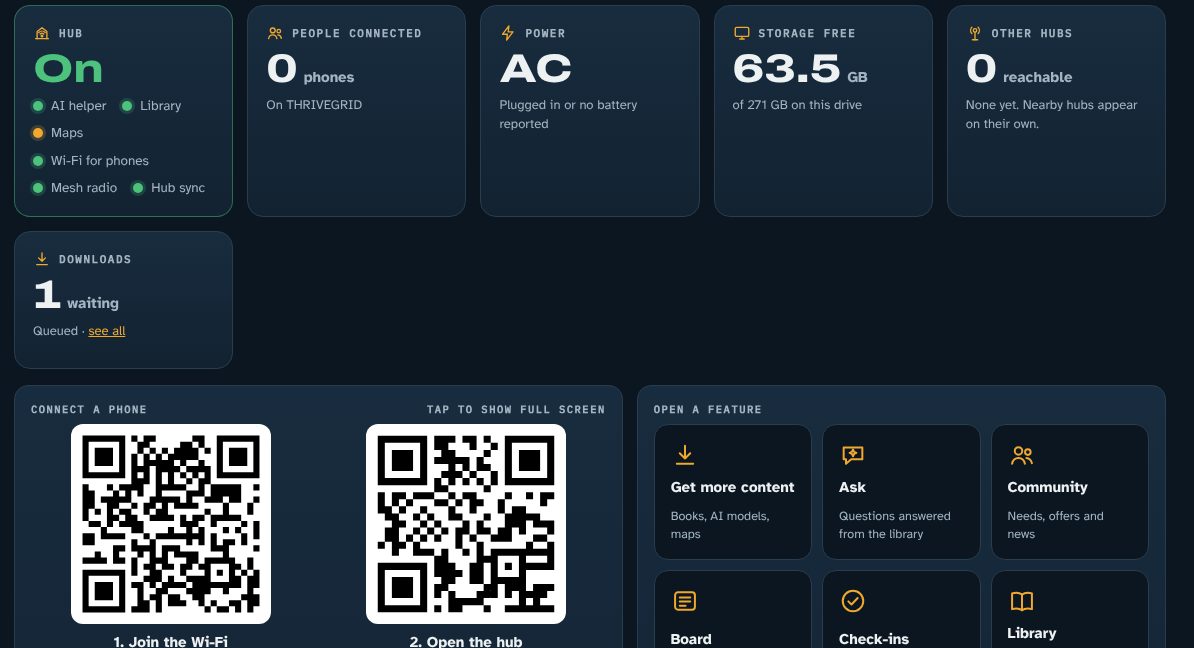
The Thrivegrid console on the hub laptop, with QR codes for phones to join
Answered offline · 2 library sources
14 phones on this hub

What's inside

One drive. Everything your people need when the internet isn't there.

Everything runs on the laptop. Phones open it in their web browser, like hotel Wi-Fi.
AI assistantDraws wiring diagrams, writes Arduino code, explains first aid and translates. Answers from the library and shows its sources.
LibraryWikipedia with pictures, WikiMed, repair, gardening and survival guides, and thousands of books.
Offline mapsYour area, street by street, with pins for water, food, power, shelter and hazards.
Message boardNotices, needs and offers: chainsaws, rides, spare rooms, insulin coolers.
Check-ins"I'm OK" and "I need help", so families and neighbors can find each other.
Emergency alertsSend one alert from the laptop and it pops up on every phone that has the hub page open.
Mesh radio linksHubs pass check-ins and short messages to each other by low-power radio text.
Event Mode and your own networkYour festival, building or resort on every phone, with your name and info.

When and why you'd use it

When the grid goes downStorms, blackouts, wildfires. Set it up at the charging station and everyone gets answers, a map of what's open and a way to say "I'm OK".
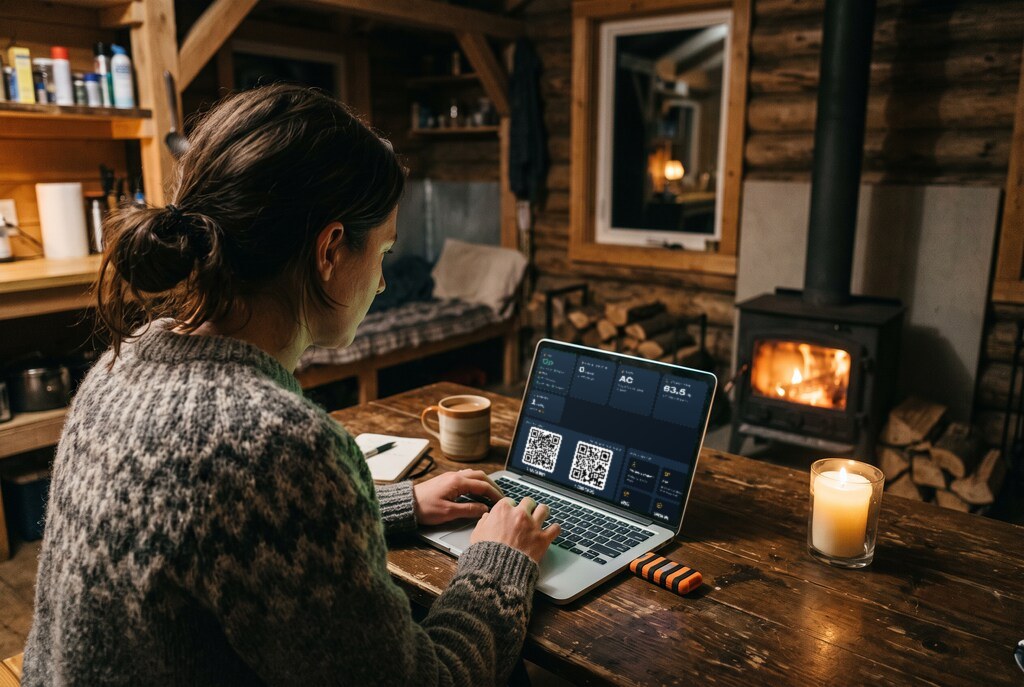
Where there's no signalCabins, campgrounds, farms, job sites and festivals. The library, maps and AI work anywhere you can bring a laptop.
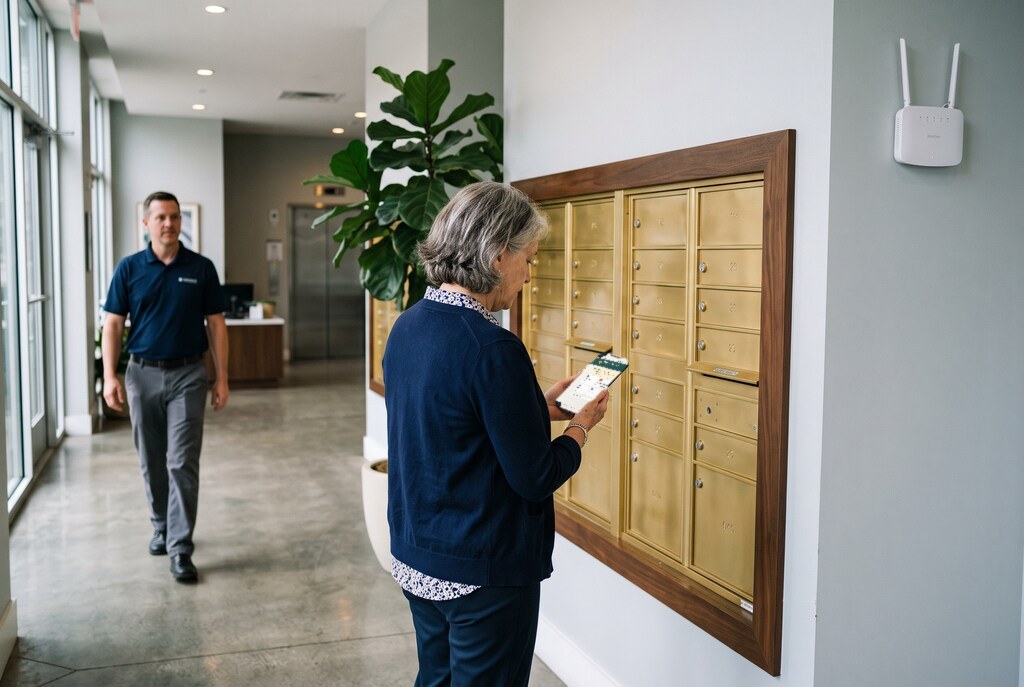
Every day, for your peopleApartment buildings, HOAs, resorts, churches and schools. Your info on every phone, no app, and ready for the day the internet fails.
0 barsneeded once it's set up
Every phonejoins by QR code, no app store
~600 ftWi-Fi bubble with an outdoor antenna
No appphones just join the Wi-Fi
2 TBof AI, books and maps on one drive
New · Thrivegrid Custom Networks

Get your own Thrivegrid. Your name. Your info. No app.

We build a Thrivegrid network with your brand and your information loaded in: building rules, maps, schedules, menus, staff contacts, emergency plans, forms and FAQs. People join your Wi-Fi and your page opens by itself, with your info preloaded by us and the Thrivegrid AI helper ready for questions. It keeps working when the internet and the power don't.

Apartments and HOAsResident handbook, amenity hours, notices on every phone, outage check-ins by unit.
Resorts and campgroundsGuest guide, trail maps, activities, dining and a front desk that answers itself.
Businesses and venuesYour menu, catalog, specials or visitor guide on every phone that walks in.
Churches, schools and nonprofitsPrograms, forms, volunteer sign-ups, and a shelter hub when disaster hits.
9:41MAPLE COURT WI-FI
M
Maple CourtRESIDENTS · 120 UNITS
Power outage: generator onElevator B and hall lights are running. Charging in the lobby until 10 pm.
Check inTap "I'm OK" for your unit
MaintenanceReport an issue
AmenitiesGym, pool, rooftop hours
HandbookRules, trash, parking
Ask Maple Court anything…
RUNS ON THRIVEGRID · WORKS WITH NO INTERNET

Sample: a branded building network

A resident checks her building's branded Thrivegrid page on her phone by the lobby mailboxes, router on the wall
Apartment lobbyNotices, check-ins and the handbook on every resident's phone.
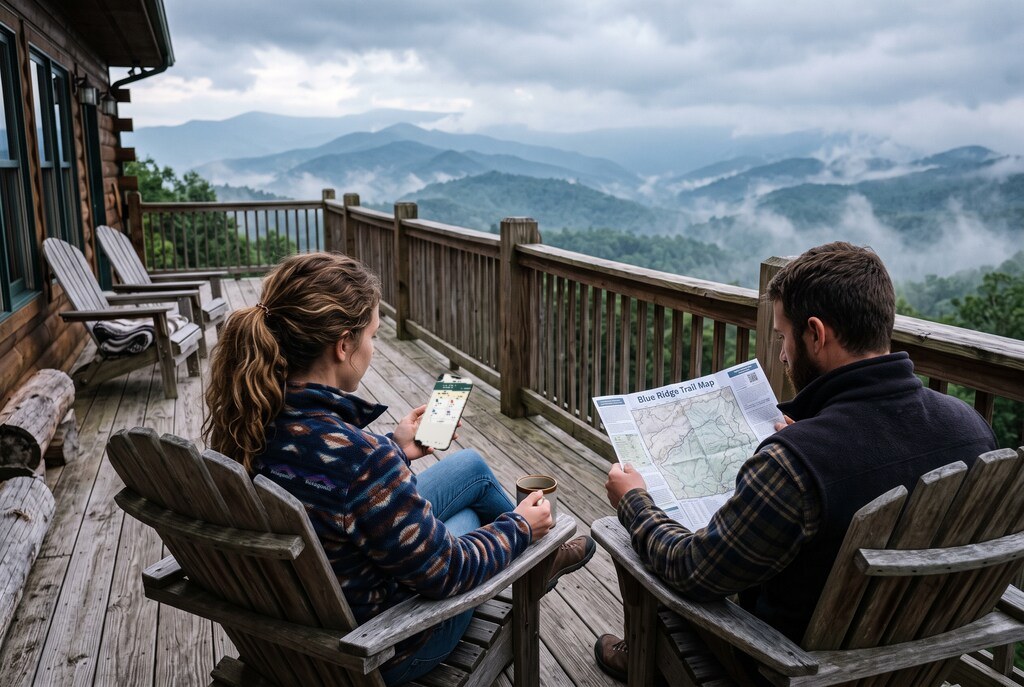
A guest on a mountain lodge deck reads the lodge's Thrivegrid guest guide on her phone while her partner reads a trail map
Mountain lodgeA guest guide and a front desk that answers itself.

Where it works

Made for the moments when there's no signal.

Same Thrivegrid in every one of these: real app screens on the phones, running with no internet.
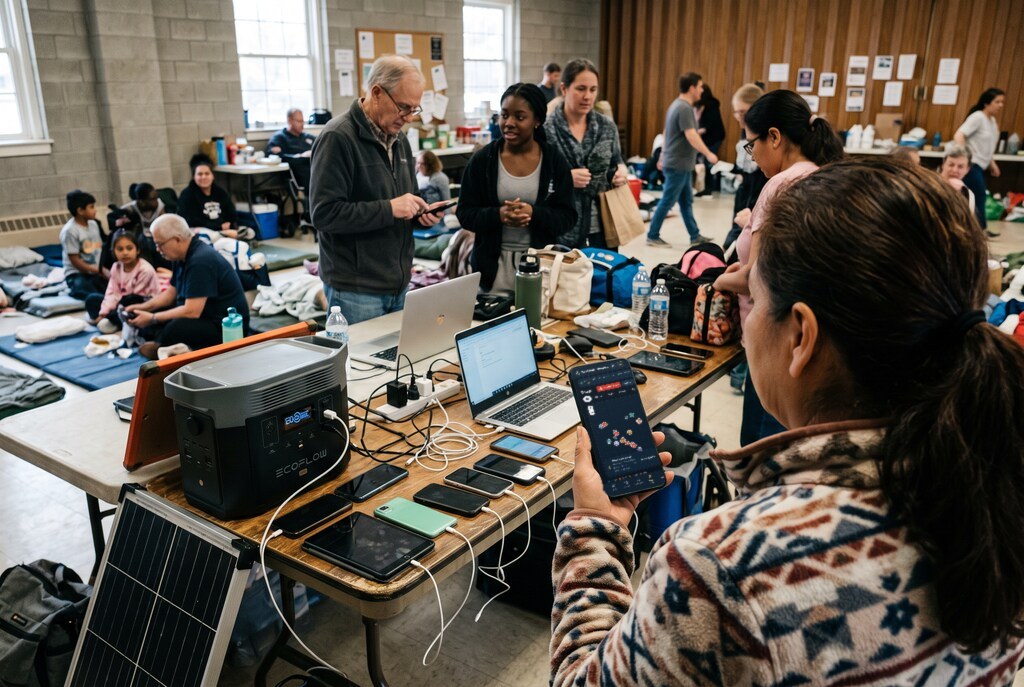
At a shelter charging table with a solar battery and a dozen phones, a woman checks the Thrivegrid map on her phone
Shelter charging stationEveryone at the table gets the map, the board and check-ins.
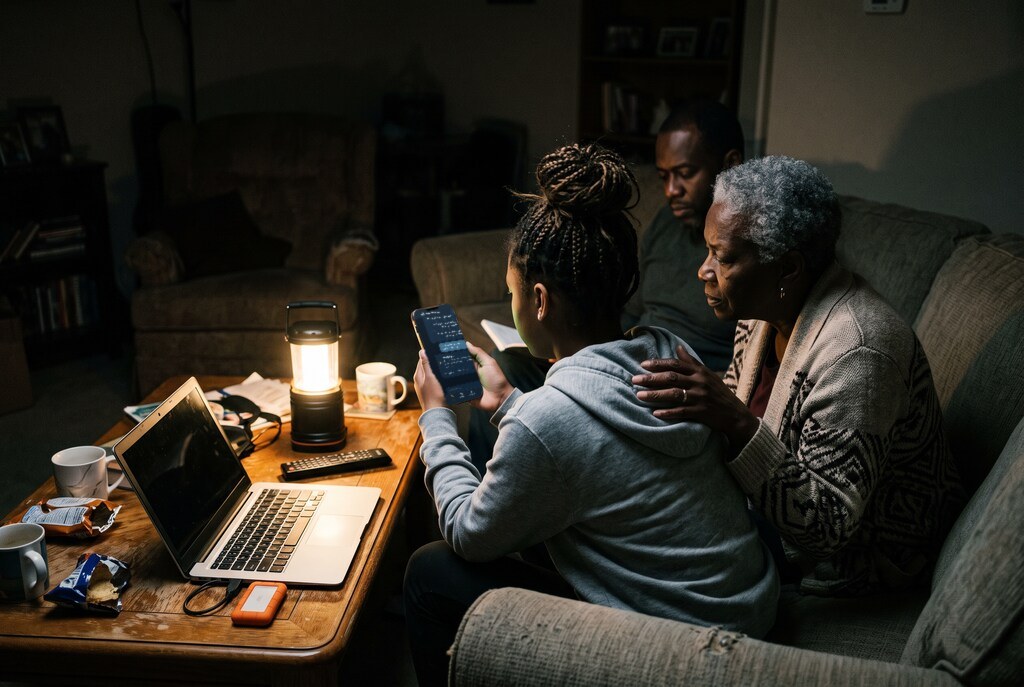
A teenager reads Thrivegrid AI chat on her phone beside her grandmother in a dark living room during a blackout, lantern and laptop with a Thrivegrid drive on the table
Blackout at homeThe Data Center drive in the laptop. AI answers on her phone.
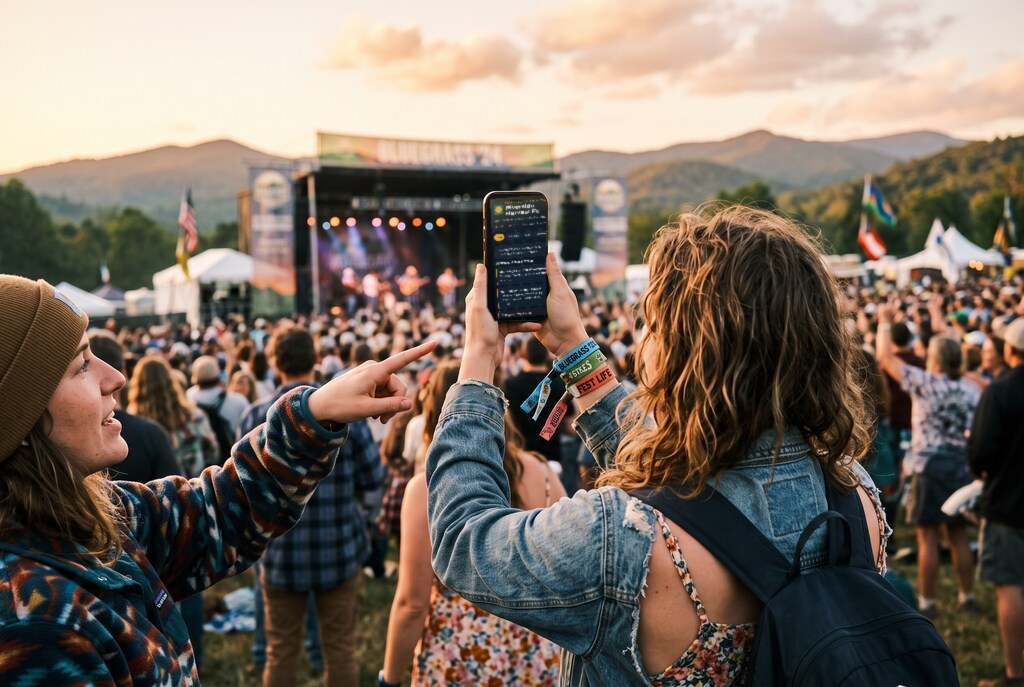
A fan at a bluegrass festival holds up her phone showing the Thrivegrid event page while her friend points at the stage
Event Mode in the crowdAnnouncements reach every phone on the event Wi-Fi, no signal needed.
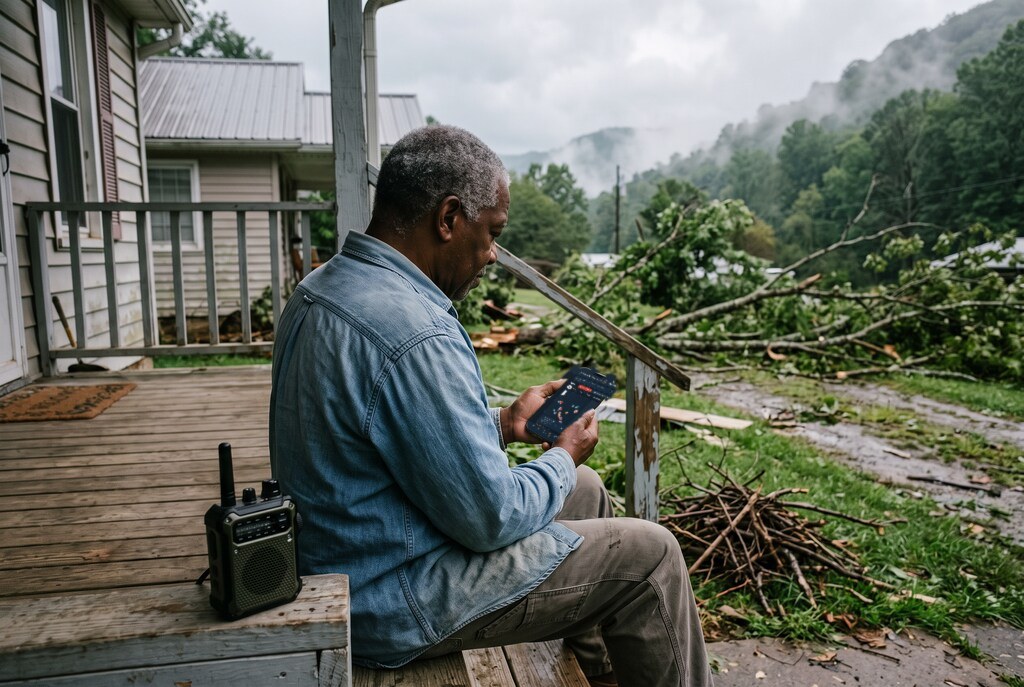
An older man on his porch after a storm reads the Thrivegrid map on his phone, a mesh radio beside him on the step
After the stormWhat's open nearby, passed hub to hub by radio.
A woman in an off-grid cabin at night uses the Thrivegrid console on her laptop with the drive plugged in, wood stove glowing
Off-grid cabinThe whole library and AI on one laptop.
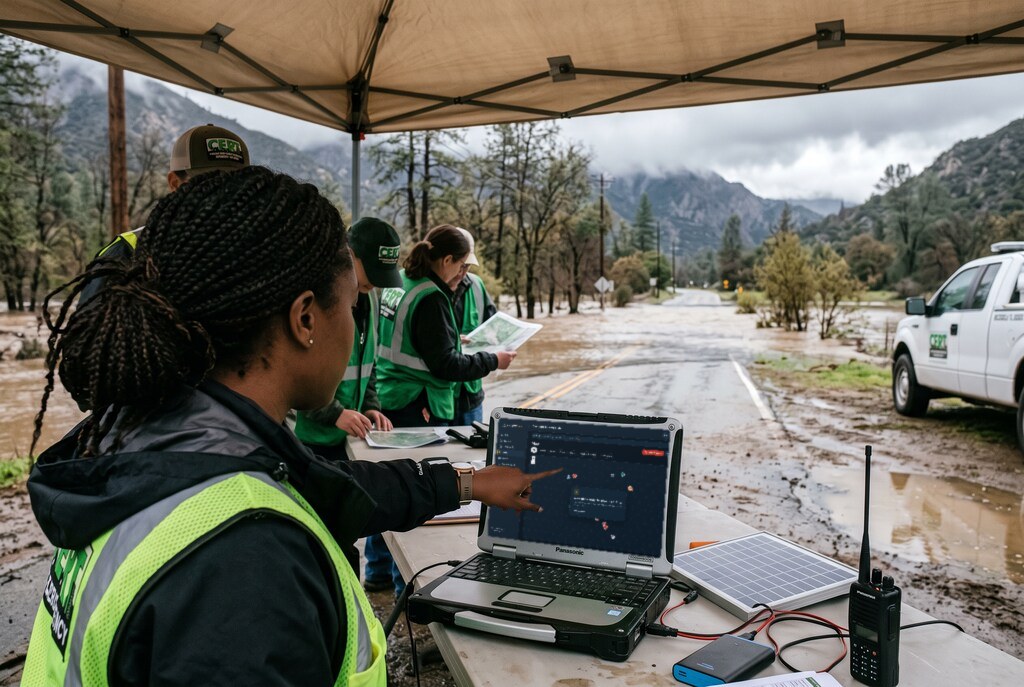
A volunteer response team lead points at the Thrivegrid hazard map on a rugged laptop beside a flooded road, with a solar panel and radio
Relief team in the fieldA hazard map and radio links where the towers are down.

When the grid goes down

A data center on every phone at the charging station.

After a storm, people line up wherever there's power. Put a Thrivegrid there and that charging table becomes the neighborhood's internet: everyone in range gets the same AI, library, map and message board on their own device while they charge.

Medical and survival answersWikiMed, first aid, water treatment and field guides, searched by AI with sources shown.

Family check-ins"I'm OK" and "I need help", passed hub to hub by radio so loved ones can find each other.

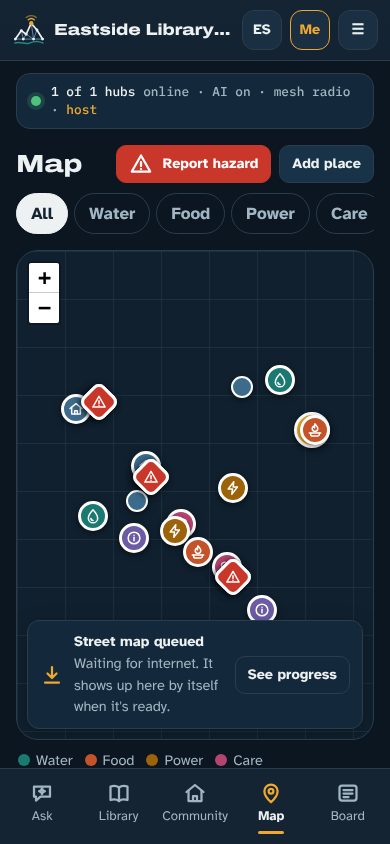
Live map of what's openWater, food, power, shelter and hazards, posted by neighbors and hub operators.

Needs and offers boardChainsaws, insulin coolers, rides and spare rooms, matched by the people who have them.

At a shelter charging table with a solar battery and a dozen phones, a woman checks the Thrivegrid map on her phone
Shelter charging stationEveryone at the table gets the map, the board and check-ins.
An older man on his porch after a storm reads the Thrivegrid map on his phone, a mesh radio beside him on the step
After the stormWhat's open nearby, passed hub to hub by radio.

One system, four parts

Start with the Data Center. Grow it into a Hub and a Network.

It's not only for emergencies. Thrivegrid runs every day next to your normal internet with AI, a library, maps and local services, then keeps running off-grid on battery when the power and internet go out.
A woman in an off-grid cabin at night uses the Thrivegrid console on her laptop with the drive plugged in, wood stove glowing
Data Center on one laptopAI, library and maps, no internet needed.
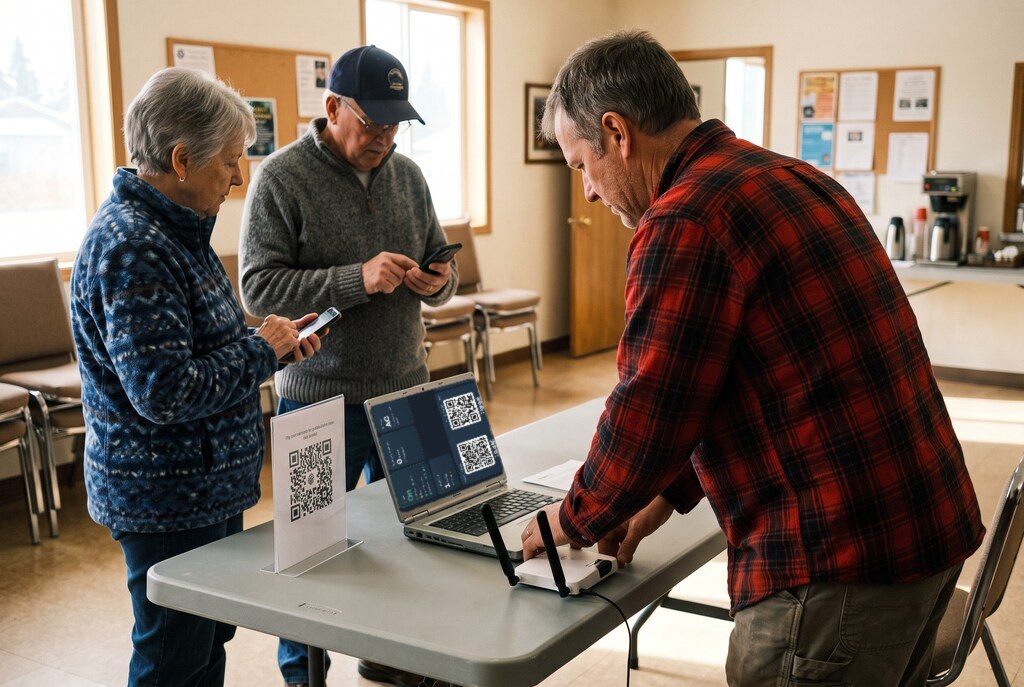
A volunteer sets up a laptop running Thrivegrid and a Beryl travel router at a community center table with a QR join sign while neighbors join on their phones
Hub at the community centerA router shares it with every phone in range.
1

The drive

Thrivegrid Data Center

Your own offline data center on a fast drive: AI, a huge library and maps, preloaded. Plug it into a Mac, Windows or Linux laptop. The AI scales with the machine.

1 TB $279 · 2 TB $429
2

For your family

Thrivegrid Home

The Data Center on a family laptop, shared through the home Wi-Fi router you already have, with a guide to set it up. Get every device on and talking, and make your family emergency plan before anything happens.

From $279
3

For everyone nearby

Thrivegrid Hub

A router broadcasts the Data Center's tools to every phone in range. It runs every day next to your normal network. When the power goes out, it keeps going on battery and the hub laptop. Scale the computer for AI and the radios for reach.

Plug & Play Hub $649
4

Across distance

Thrivegrid Network

Link hubs farther apart. Extenders reach next door, outdoor antenna pairs reach the next building, mesh radio passes short texts between hubs, and satellite like Starlink connects to the outside world when it can. In field testing now.

Extenders from about $85

Thrivegrid Home

Plan together before anything happens.

Plug the Data Center into the family laptop and share it on your own home Wi-Fi. A step-by-step guide covers your home router. Then sit down together and build the plan, so everyone knows what to do if the power, the internet or the phones go out.

  • Every device on and talking: each phone and tablet joins and shows up on the plan
  • Meeting places, contacts and medical needs in one place everyone can open
  • Go-bag and supply checklists for each person, kids and pets included
  • Practice drills: one tap sends "Everyone tap I'm OK" and shows who answered
  • Everyday use too: the AI, library and maps work on every family device any day
6:15THRIVEGRID
The Parker family planThrivegrid Home · made together

Everyone on and talking

  • SSam's phonejoined THRIVEGRID✓
  • JJordan's phonejoined THRIVEGRID✓
  • MMaya's tabletjoined THRIVEGRID✓
  • LLeo's phonejoined THRIVEGRID✓
  • GGrandma's tabletjoined THRIVEGRID✓
Plan ready9 of 10
Meeting placesFront oak tree · Library on Elm
Out-of-town contactAunt Rae, Ohio
MedicationsGrandma: 2 daily · cooler
Go-bags11 of 12 packed
Practice drill · Saturday 10 am"Power's out. Everyone tap I'm OK."
Sam ✓Jordan ✓Maya ✓Leo ✓Grandma ✓

Thrivegrid Chapters

Local chapters, region by region.

Neighbors launch a Thrivegrid Chapter where disasters hit most. The chapter runs hubs across its region, plans with families before the season, and lines up emergency construction, repair and response partners so needs get matched fast.

  • Hurricane coast, wildfire West, tornado belt, flood valleys and everywhere else
  • Partners on the board: roofers, tree crews, electricians, clinics, hardware stores
  • One regional network: hubs linked by antenna links, mesh radio and satellite (in field testing)
7:05THRIVEGRID
Blue Ridge ChapterSample chapter · 12 hubs · 31 partners

Needs, matched with partners

Tree on the roof · Laurel RdPosted at the fire station hub✓ Matched: Ridge Tree Crew · today 2 pm
Roof tarp · 14 homes on Oak HollowPosted by the block captain✓ Matched: Summit Roofing volunteers · Wed
Electrician for a generator hookupSenior center✓ Matched: licensed electrician · tomorrow
Offering: 40 cases of waterValley Hardware · pick up at the church hub
↻ Shared with the chapter's other hubs

Scale it up

From one laptop to a whole town.

Every setup runs the same Thrivegrid software. Bigger setups add a router, an outdoor antenna, solar power and radio links, so more people can reach it from farther away.
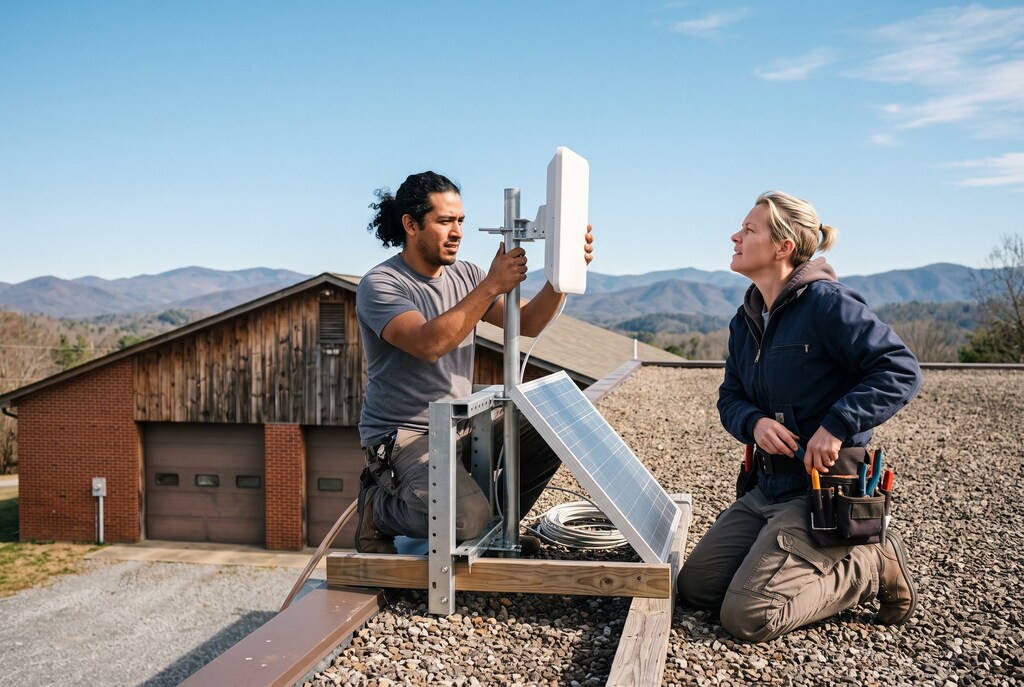
Two installers mount an outdoor Wi-Fi antenna and solar panel on a rural fire station roof in the mountains
We install itAntennas, solar and radio links, set up and tested.
1 · LAPTOP1 family

Drive plugged into your laptop. Library, maps and AI on your screen.

from $279
2 · ROOM HUB~150 ft

Add the Beryl AX router. Phones in the house, shop or hall join by QR code.

Plug & Play Hub $649
3 · SITE HUB~600 ft

Outdoor antenna on a pole, solar and battery, mesh radio. A church, school, park or block.

parts ≈ $1,170 + drive · prebuilt $5,995
4 · TOWN MESHSurveyed

Several hubs placed by site survey, linked by long-range Wi-Fi and mesh radio. Every link is tested on site before we quote it.

$11,495 per link set

Reach the house next door. Add a second Beryl in extender mode, on the same THRIVEGRID Wi-Fi name. Farther away, a pair of outdoor antennas (TP-Link CPE510, about $50 each) carries it to a Beryl at the far end. Range depends on walls, trees and line of sight, so test it at your site. Soon the hub will set extenders up for you.

The real app

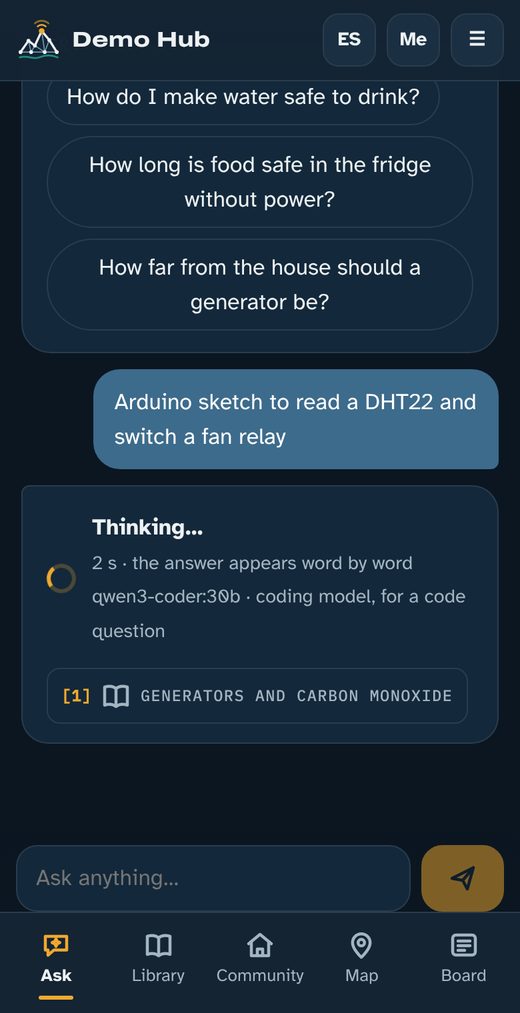
Everyone gets AI chat that searches the library.

Ask a question and the hub searches its books first, then answers with the sources it used. It writes Arduino code, draws wiring diagrams and translates. A bigger computer runs a bigger AI, and the installer picks the right one for your machine automatically.
A teenager reads Thrivegrid AI chat on her phone beside her grandmother in a dark living room during a blackout, lantern and laptop with a Thrivegrid drive on the table
Blackout at homeThe Data Center drive in the laptop. AI answers on her phone.
Phone: asking the hub how to make water safe, with library sources
Ask · answers from the library
Phone: offline map with water, food and hazard pins
Map · what's open nearby
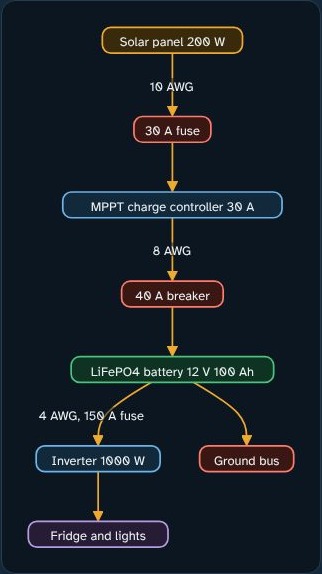
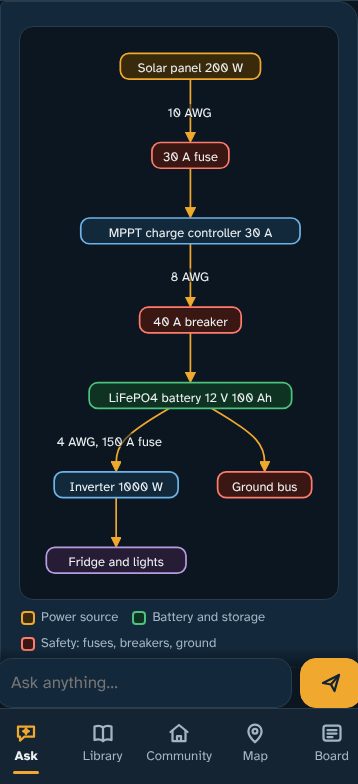
Phone: AI-drawn solar wiring diagram
Diagram · solar wiring
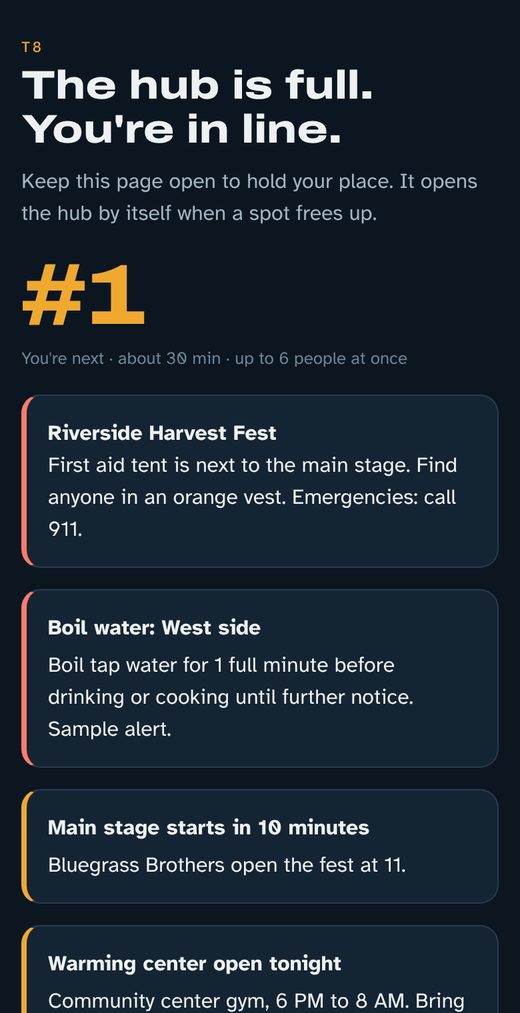
Phone: event page with a waiting line when the hub is full
Event Mode · fair turns
Laptop console: hub on, phones connected, power, storage and QR codes to join

Run it from the laptop console

See who's connected, power and storage, and the two QR codes phones scan to join. Send an alert to every phone, add books and maps, turn on Event Mode. Simple mode for everyone, Advanced when you want it.

See what it needs
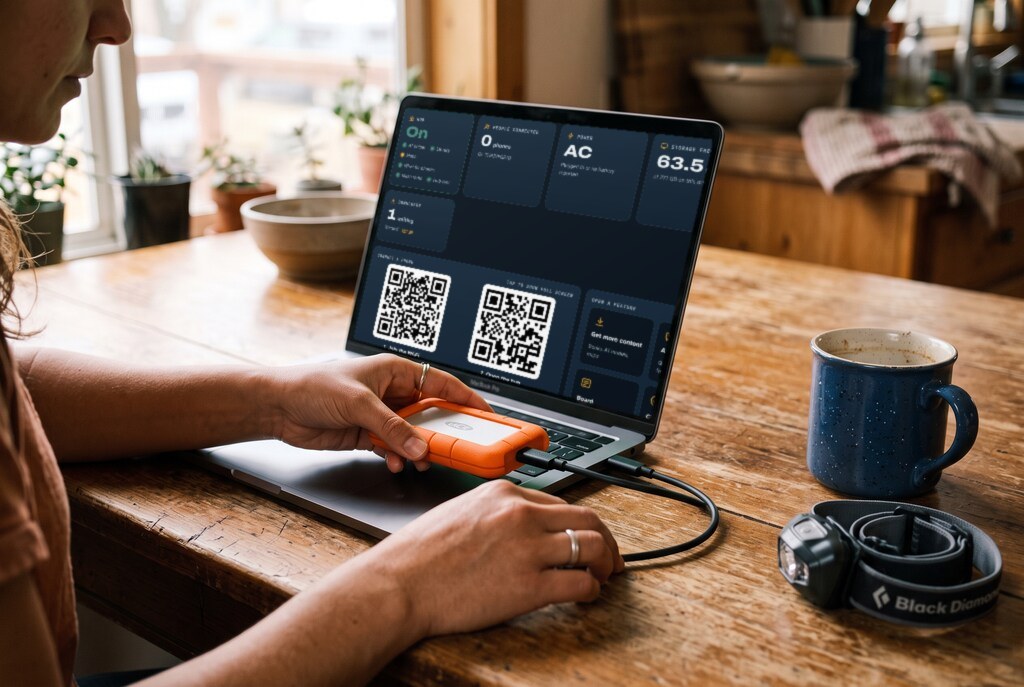
Hands plug an orange rugged Thrivegrid drive into a laptop showing the Thrivegrid console with phone join codes
Plug in the Data CenterThe console comes up with QR codes for phones.

The fastest way on the air

Thrivegrid Data Center. Plug it in. Click Start. Done.

The whole data center arrives on a fast, rugged USB-C drive: the app, the library, maps and the AI models, loaded and tested. No 500 GB of downloads, no setup scripts. Built for Mac, Windows and Linux, and tested on your kind of computer before it ships. Phones can join in minutes.

  • Huge and fast: 1 or 2 TB solid-state, about 1,000 MB/s
  • AI that fits your laptop: it checks your memory and loads the right model
  • One year of updates included, then renew or keep it as-is forever

Data Center 1 TB

$279

Thrivegrid Home: Wikipedia with pictures, medical, survival and repair libraries, maps, the everyday and best-answer AI.

Data Center 2 TB · best value

$429

Hub: everything in 1 TB plus Stack Overflow, Project Gutenberg, Spanish, the coding helper and the strongest AI.

New · Plug & Play Hub

$649

The 2 TB Data Center plus a GL.iNet Beryl AX router, already set up, a mesh radio and a case. Plug both in and phones get the welcome page by themselves.

Event
Mode.

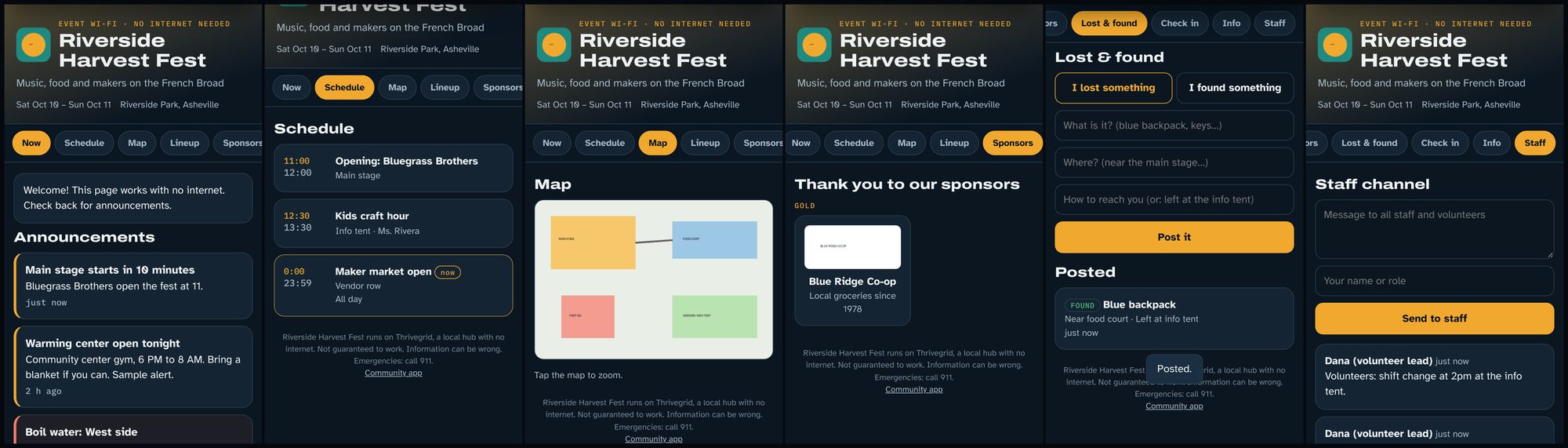
Your festival, market or conference on every phone. Guests join the Wi-Fi and the event page pops up: schedule, map, lineup, sponsors, lost & found and live announcements. No app. No signal needed.
A fan at a bluegrass festival holds up her phone showing the Thrivegrid event page while her friend points at the stage
Event Mode in the crowdAnnouncements reach every phone on the event Wi-Fi, no signal needed.
Six phone screens of an event page: announcements, schedule, map, sponsors, lost and found, staff channel
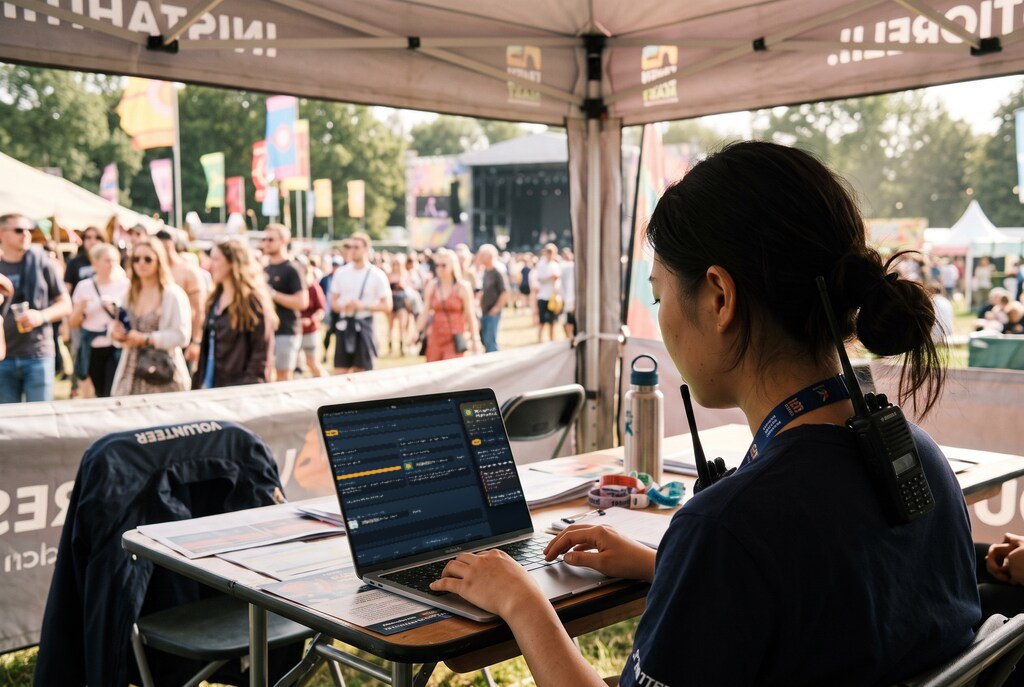
A festival organizer at the info tent edits the event page in Thrivegrid's event builder on a laptop
Run your event from one laptopEdit the schedule and push announcements live.

Built for

Homes, hubs and the people who run them.

Families and homesteads

A library, a doctor's reference and a map that work when nothing else does.

Community hubs

Churches, libraries, schools, fire stations and shelters become the place everyone can reach.

Property and hospitality

Apartment buildings, HOAs, resorts and campgrounds with their own branded network.

Events and teams

Festivals, races, relief teams and search crews working where there's no signal.

We can deploy it for you. Resorts, campgrounds, apartment buildings, churches, schools and county teams: we survey the site, install the gear, load your information and train your staff.

Have us set it up